Tell Justin what you need
“Remind me about my appointment tomorrow at 3.” Say it the way you normally would.
Tell Justin what matters in a natural conversation. Get a reminder call in the app when it’s time, with a chance to respond instead of just swiping a notification away.
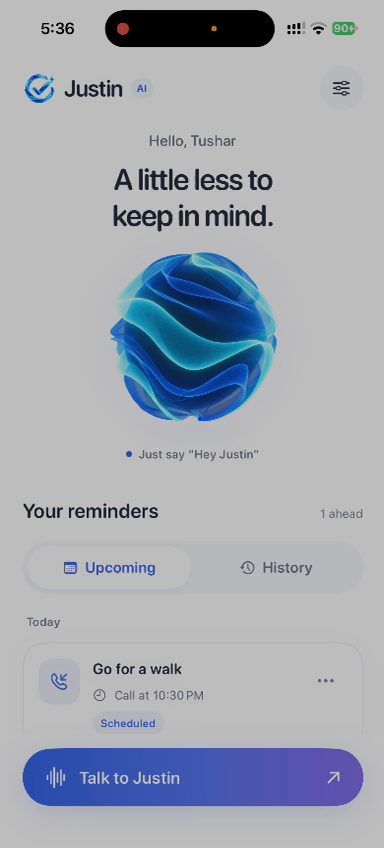
See JustinAI in action
Watch a real recording of a reminder being made in the iPhone app. The silent demo plays automatically; the steps beside it describe the flow.
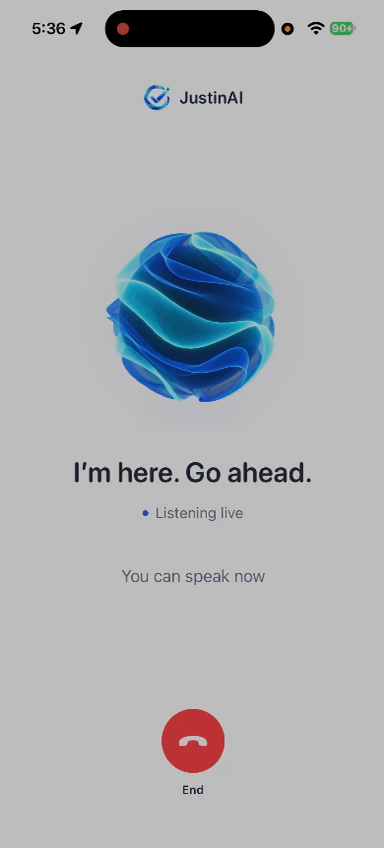
Start a voice conversation and say what you need to remember.
Justin repeats the reminder and schedules it for the time you choose.
Your reminder appears in the app, ready for the scheduled call.
Recorded in the JustinAI app. No simulated interface or stock footage.
A simpler flow
No tiny forms or complicated setup. Speak, confirm, and get on with your day.
“Remind me about my appointment tomorrow at 3.” Say it the way you normally would.
Justin confirms what it understood. Correct the reminder during the conversation if you need to.
At the scheduled time, Justin calls in the app. Answer, respond, or see the notification if you miss it.
Built around real life
Reminders work better when they fit the way you think. JustinAI gives you a voice-first way to set them and a conversational nudge when they’re due.
For the little and the big things
Medicine schedules and check-ins.
Meetings, visits, and plans.
Bills, renewals, and deadlines.
The small things that keep life moving.
JustinAI isn’t an emergency service. Use a separate reliable reminder for urgent health or safety needs.
Minutes that make sense
Every AI conversation uses the same minute balance. Your first 10 minutes are on us; choose a monthly plan or a one-time top-up in the app.
For a few thoughtful conversations and reminder calls each week.
Monthly subscriptionMore time to plan your days and answer reminders as they arrive.
Monthly subscriptionFor people who want Justin to be part of the everyday routine.
Monthly subscriptionAdd 10 minutes with a one-time purchase. Unused paid minutes stay in your balance.
Prices vary by App Store country or region. The app and Apple purchase sheet show the price and currency before you confirm. Subscriptions renew monthly until cancelled in your Apple account.
Good to know
Connected AI conversation time, whether you start the call or answer a reminder call. Ringing and setup don’t count.
You can finish that conversation. You’ll need minutes before starting the next one.
Yes. Manage or cancel your subscription in your Apple account. You can also open subscription management from the app.
No. JustinAI reminder calls happen inside the iPhone app. If you miss one, you’ll still get a notification.
Make space for what matters
Download JustinAI for iPhone and make room for what matters.
Download on the App Store